Tools in the Fees Setup category allow administrators to create and manage district-wide fees, set fee maximums, and configure other fee preferences.
Fee Editor
Fees entered in the Fees Editor can be selected and assigned to individuals, allowing payments and adjustments to be tracked. These fees can be managed for individuals through the Student Fees, Person Fees, or Household Fees tools.
See the Fees Editor article for information on creating and managing fees.
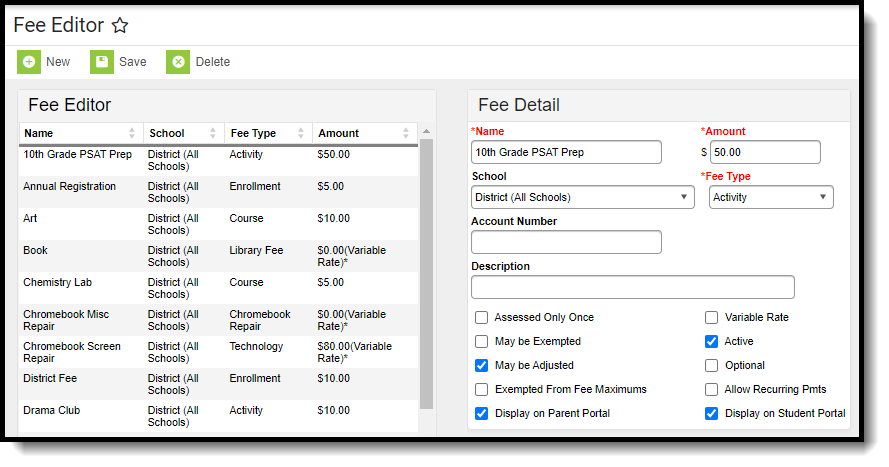 Fee Editor
Available Tool Rights
| R | W | A | D |
|---|---|---|---|
|
|
|
|
Fee Maximums Setup
The Fee Maximum Setup tool sets a cap on the amount of fees a family pays for a school year.
See the Fee Maximum Setup article for information on using the tool.
 Fee Maximum Setup
Available Tool Rights
| R | W | A | D |
|---|---|---|---|
| Access and view the Fee Maximum Setup tool. | Modify and save existing fee maximums. |
N/A | N/A |
Fee Preferences
The Fee Preferences tool determines which fees display in Campus Parent and Campus Student. Districts can also define whether fees display for future, active, or past years, and whether comments display.
See the Fee Preferences article for information on using the tool.
 Fee Preferences Editor
Available Tool Rights
| R | W | A | D |
|---|---|---|---|
| Access and view the Fee Preferences tool. | Modify and save existing fee preferences. | N/A | N/A |
Suggested User Groups
See User Groups and Suggested Roles for more information.
