Path: Student Information > Special Ed > Special Ed Documents
The Montana Individual Education Plan can be sent to parents/guardians to sign (eSign) on the Campus Parent Portal electronically.
See the core Special Ed eSignature Process article for information on the overall process and setup for eSignature documents.
Complete the plan creation process and fill out the plan in Campus. The IEP Approval editor requires parent/guardian eSignatures, which is indicated with an eSign label on the Editor Home. To send the plan to the student's parent/guardian, these editors must be placed in the status Complete Pending eSignature. All other editors must be in a Complete status.
See the Montana Individual Education Plan article for the most updated print formats.
IEP Approval
The IEP Approval editor indicates if the parent/guardian accepts and approves of the IEP.
 The IEP Approval editor.
- Navigate to the IEP Approval editor. Fill out the editor, then click Save & Stay.
- Click the down arrow next to the Complete button in the action bar, then click Complete Pending eSignature. The editor is now in the correct status to send to the parent/guardian for eSignature.
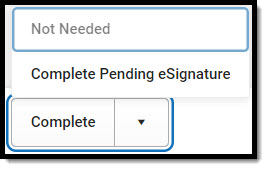 Complete Pending eSignature Button
 - Work through all other editors and make sure they are all in a Complete status. Once all editors are in the correct status, the plan is ready to send to the parent/guardian for eSignature.
