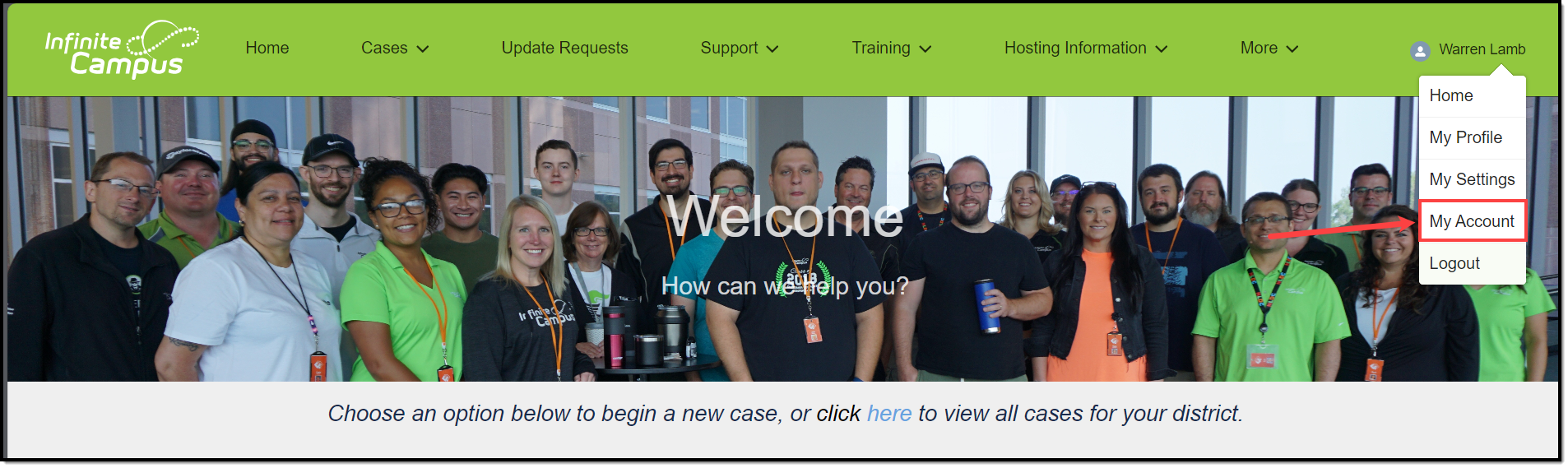
A list of Authorized Contacts for your district can be accessed by clicking the profile icon at the top right of the page and selecting My Account.
Account Information displays basic information about your district, including Name, Address, Website, and Phone Number.
Authorized Contacts displays your district's active Support and Technical contacts who are authorized to work with Infinite Campus on behalf of your district. To learn more about the role of an Authorized Contact, visit this knowledge article.
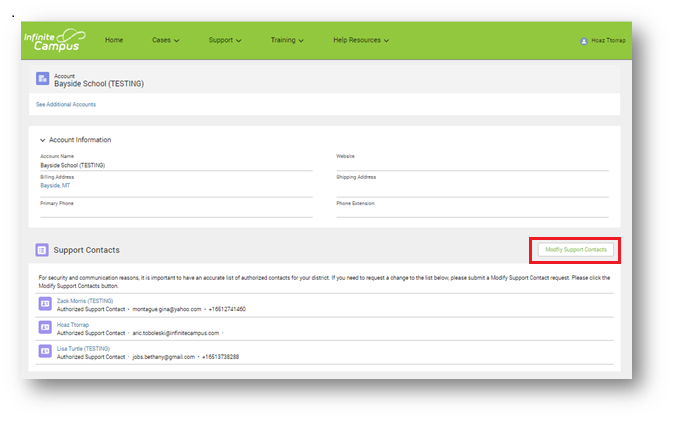
To request a change to your contact information, click the Modify Support Contacts button.
Authorized Contacts who work for multiple districts will see a link called See Additional Accounts. Clicking this will display a list of available accounts to choose from.
