Path: Student Information > General > Flags
This is a reference article defining the fields found in the Student Information Flags tool.
 The selected student's assigned flags appear in the editor.
Ad hoc information
Student Flag information is available in the Query Wizard for Student data types in the Learner > Programs/Flags folder. The Ad hoc Field names are included in the Student Flag Editor table.
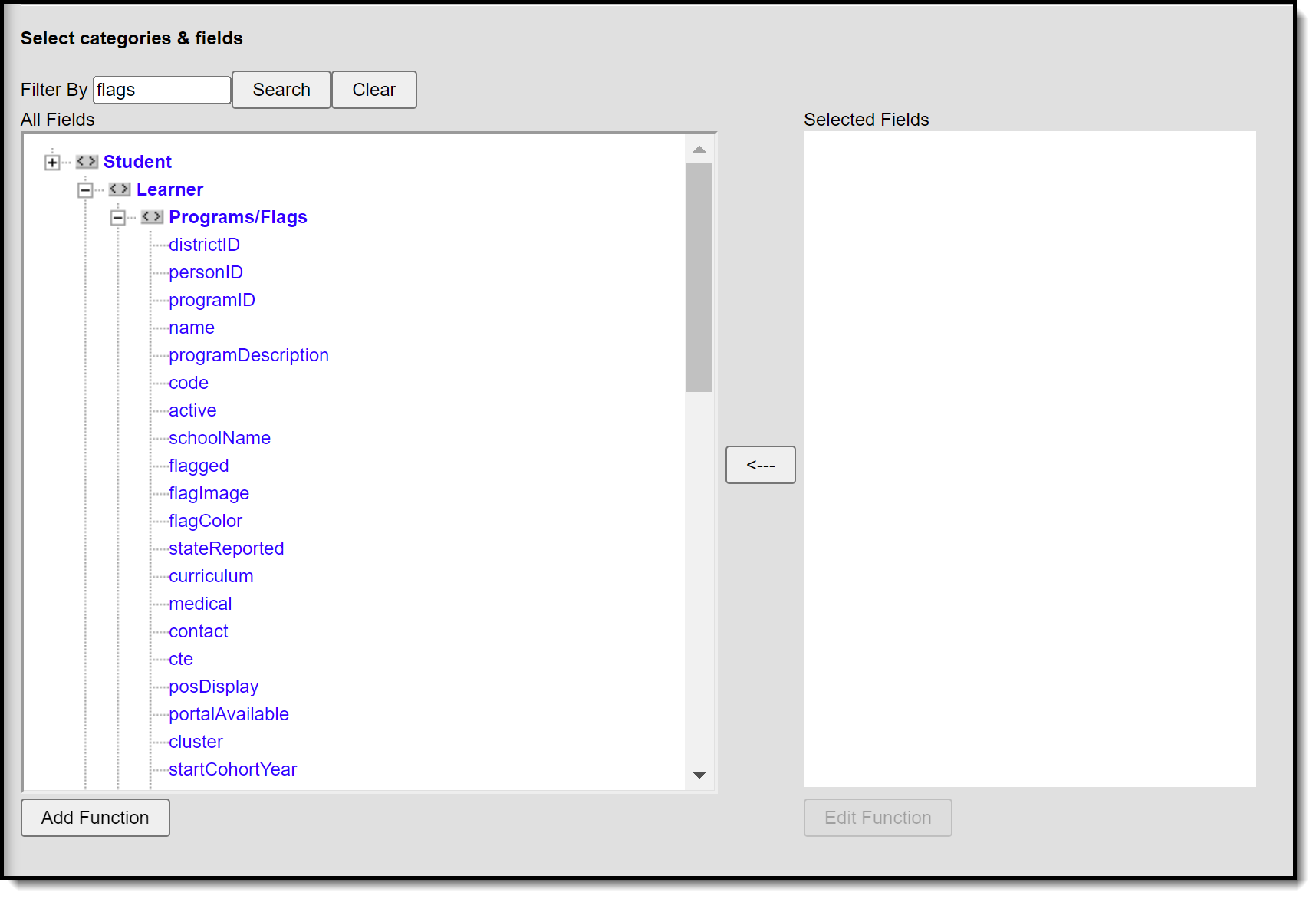 Use flag-related fields to extract information via Ad hoc filter.
Student flag editor definitions
The following defines the available fields on the Student Flag Editor. These fields can be used to build an Ad hoc report.
Field | Description | Ad hoc Fields |
|---|---|---|
Flag | Selection indicates the curricular/academic program assigned to the student. | spProgram.name |
Image Display | The message "This image will display next to the student's name" indicates that when the information is saved, the chosen program image displays in next to the student's name, indicating the student is assigned to the program. If the program is not flagged, this message does not display. | spProgram.flagImage |
Start Date | Entered date reflects the date the flag was first assigned to the student. Dates are entered in mmddyy format or by selecting the calendar icon to choose a date. The entered date also determines when the flag displays next to the student's name, if there is an assigned image. For POS versions 3.1.0 or higher, student flags will display in the POS terminal based on the start date if POS Flag was selected in Flags. For POS versions lower than 3.1.0, student flags will display in the POS terminal as soon as they are saved, regardless of start date, if POS Flag was selected in Flags. | spProgram.startDate |
End Date | Indicates the date the student stopped working towards achievement in the program. Dates are entered in mmddyy format or by selecting the calendar icon can be selected to choose a date. The entered date also determines when the flag no longer displays next to the student's name, if there is an assigned image. For POS versions 3.1.0 or higher, student flags will stop displaying in the POS terminal based on the end date if POS Flag was selected in Flags. | spProgram.endDate |
Eligibility Start Date | Indicates the date the student became eligible for the program. Dates are entered in mmddyy format or by selecting the calendar icon can be selected to choose a date. | spProgram.eligibilityStartDate |
Eligibility End Date | Indicates the date the student was no longer eligible for the program. Dates are entered in mmddyy format or by selecting the calendar icon can be selected to choose a date. | spProgram.eligibilityEndDate |
User Warning | Entered message that displays with the program image when a user hovers over the image. A 255-character limit is enforced on this field. If that limit is exceeded, a warning message displays indicating the valid length requirement and text beyond that limit is deleted. It is recommended to not use the | character as it could alter warnings within the flag. | spProgram.userWarning |
Participation Details | Text field that displays information about the student's participation in the program, listing the course requirements, guidelines the student must follow, GPA requirements, etc. This information is up to the school. A 255-character limit is enforced on this field. If that limit is exceeded, a warning message displays indicating the valid length requirement and text beyond that limit is deleted. Users with rights to select and view details for flags that display in the Student Flag Editor can view Participation Details. | spProgram.participationDetails |
Description | Text that lists additional information about the program. There is no character limit on this field. Users with rights to select and view details for flags that display in the Student Flag Editor can view Description information. | spProgram.programDescription spProgram.studentDescription |
