Tool Search: OLR Summary
The Online Registration Summary Report provides an overview of the submitted application. Select which indexes/pleats are included in the report.
 Registration Summary Reports
Generate the Online Registration Summary Report
In order to generate accurate data, the year in the Context Switcher must match the End Year in the OLR Configuration you selected when running the report.
- Select either an Ad hoc Filter from the dropdown list or a Grade Level from the dropdown list.
- Select a Sort Order.
- Select (or remove the selection) which indexes/pleats print on the report.
- Click the Generate Report button.
The reports generate in PDF format.
The report matches the application summary report that is available once an application is submitted. This report prints the applications for all students at one time (based on selection criteria), rather than an individual student.
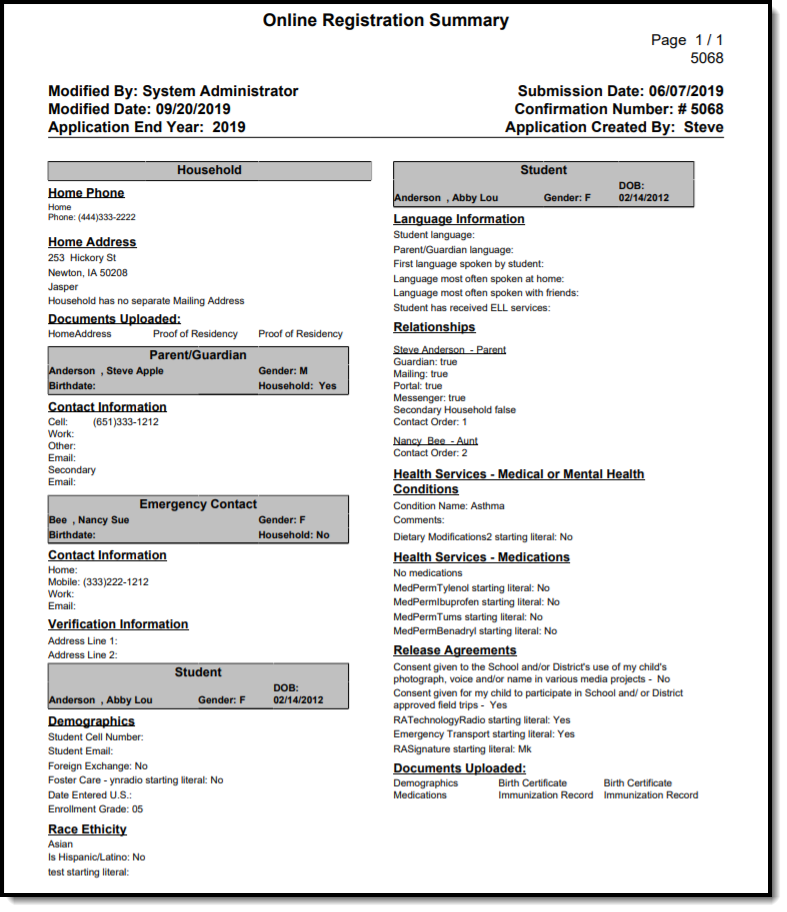 Online Registration Summary Report
