Path: Student Information > Response to Intervention Administration > RTI Intervention Providers
The RTI Intervention Provider Setup tool allows users to identify staff members who are authorized to provide interventions to the student. Only people defined as intervention providers in this tool are available for assignment as intervention providers on a student's RTI plan.
Staff members designated as Case Managers in the student's Team Members tool are allowed to enter intervention delivery data.
 Add, update, and manage intervention provider records used in RTI processes.
See the RTI Interventions Providers Tool Rights article for information related to tool rights for this tool.
Create RTI Intervention Providers
- Click the New button. The Provider Detail editor will appear on the right.
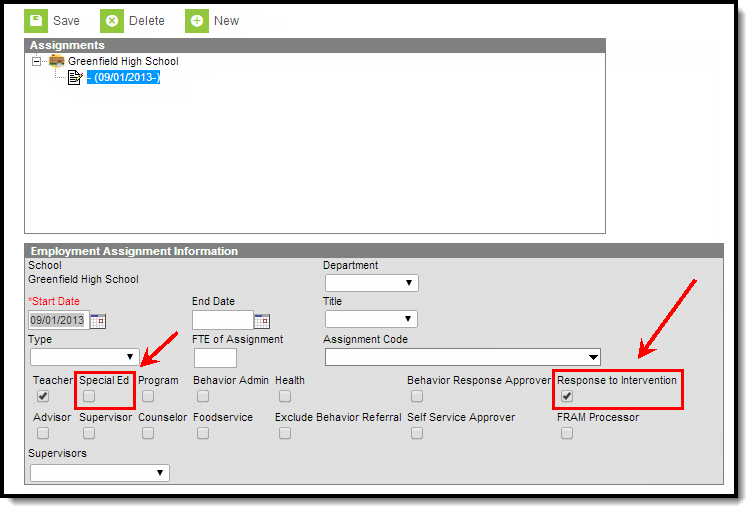
- To select a staff member with a District Assignment of Response to Intervention or Special Ed, select the person from the Link to Person dropdown list.
Only staff members with a District Assignment value of Response to Intervention and/or Special Ed display in this list.
- Enter the Name of the intervention provider. If a person is selected in the Link to Person field, this field will auto-populate with their name.
- Enter the name of the Agency the provider works for.
- Enter the Address of the agency the provider works for.
- Enter the provider's Phone Number.
- Select the Additional School(s) to designate schools for an unlinked provider or additional schools for a linked provider.
- Select the Save button. The person is now listed as an available Intervention Provider in RTI plans (see Image 2).
 Image 2: Select an Intervention Provider on an RTI Plan
