Path: Student Information > Response to Intervention Administration > RTI Intervention Position Setup
The RTI Intervention Position Setup tool allows users to define the Intervention Provider's position on student RTI plans.
For example, in Image 2, when the staff member has created a new RTI plan for a student and identified the Intervention Provider, they can then indicate the provider's position (Specialist) from a predefined set of options.
 Create and manage intervention positions used in RTI workflows.
See the RTI Interventions Position Tool Rights article for information on this tool's rights.
Create RTI Intervention Positions
- Click the New button. The Position Detail editor will appear on the right.
- Enter the Name of the position.
- Select the Save button. The intervention position is now available for selection on RTI plans (see Image 2).
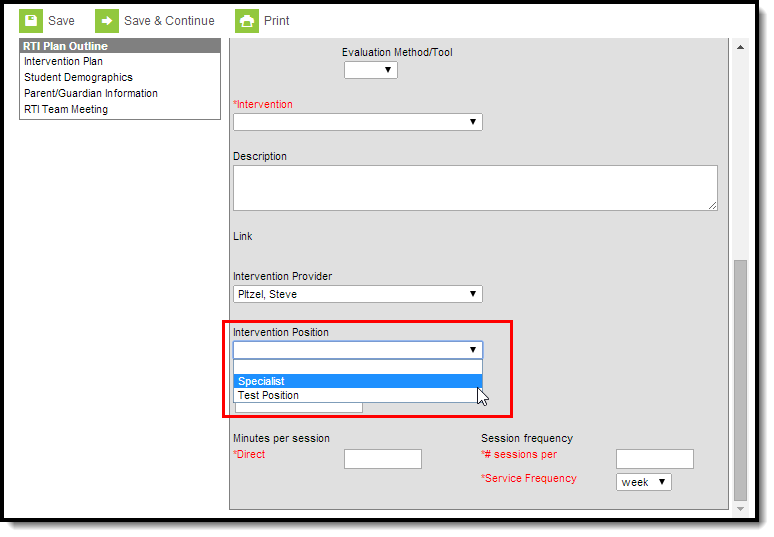 Image 2: Select an Intervention Position
