Online Registration requires a Campus administrator or other designated staff person to create and enter several values before applications can be accessed and submitted.
This article provides information on the recommended tool rights for the following OLR tools:
- OLR Literals Bank
- OLR Lists Bank
- OLR List Bank Replacer
- OLR List Value Updater
- Language Groups
OLR Literals Bank
The OLR Literals Bank allows you to provide translated text or additional clarification for options displayed on the Online Registration site. When parents/guardians log in to the Online Registration site, they are prompted to select a language. That selection determines what text displays when they move through the registration panels.
 Enter codes and translation values for the Portal application entry.
Available Tool Rights
| R | W | A | D |
|---|---|---|---|
|
|
|
|
OLR Lists Bank
The OLR Lists Bank allows users to add translations of the dropdown lists that appear on the Online Registration portal pages.
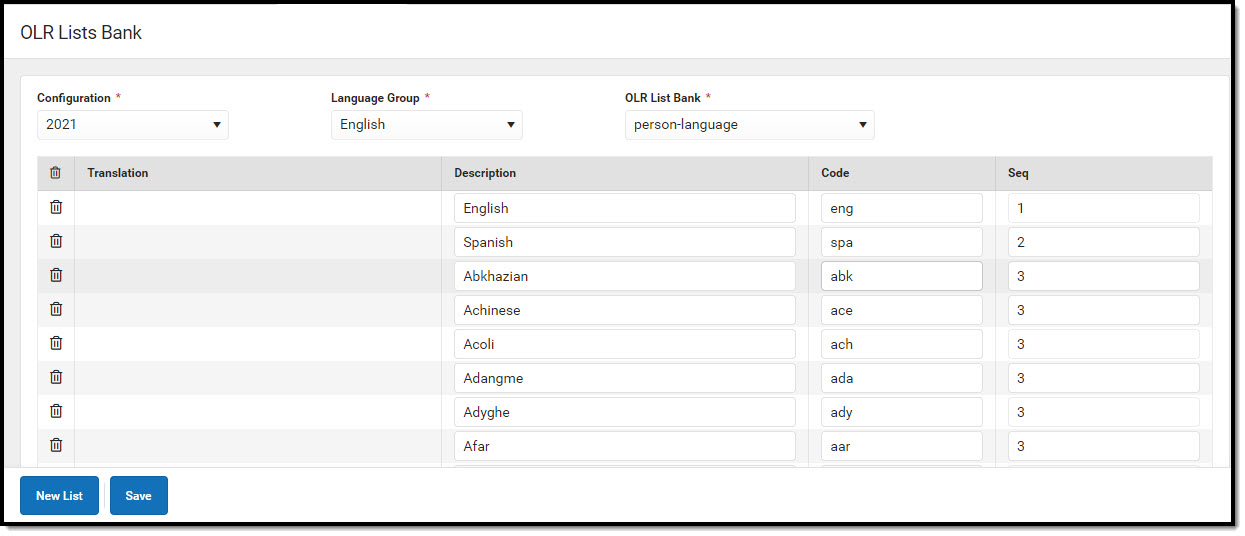 Add translation values for items in dropdown lists.
Available Tool Rights
| R | W | A | D |
|---|---|---|---|
|
|
|
|
Language Groups
The Language Groups tool lists the different languages in which the Online Registration screens display on the Campus Portal. There is no limit to the number of languages that can be translated.
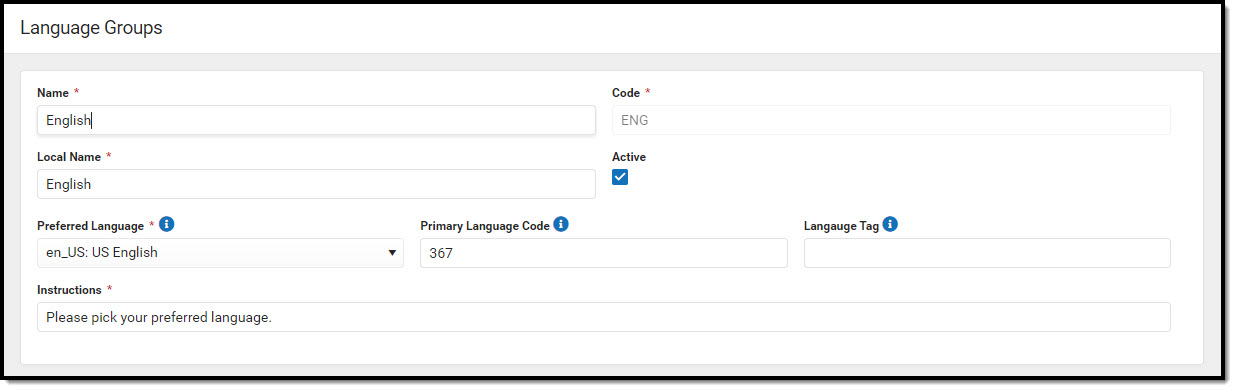 Add translation values for items in dropdown lists.
Available Tool Rights
| R | W | A | D |
|---|---|---|---|
|
|
|
|
OLR List Bank Replacer
The OLR List Bank Replacer updates and replaces existing OLR List Banks with their Campus counterparts. Using this tool will completely delete and replace the existing OLR list bank for the selected category with the Campus list bank for that category.
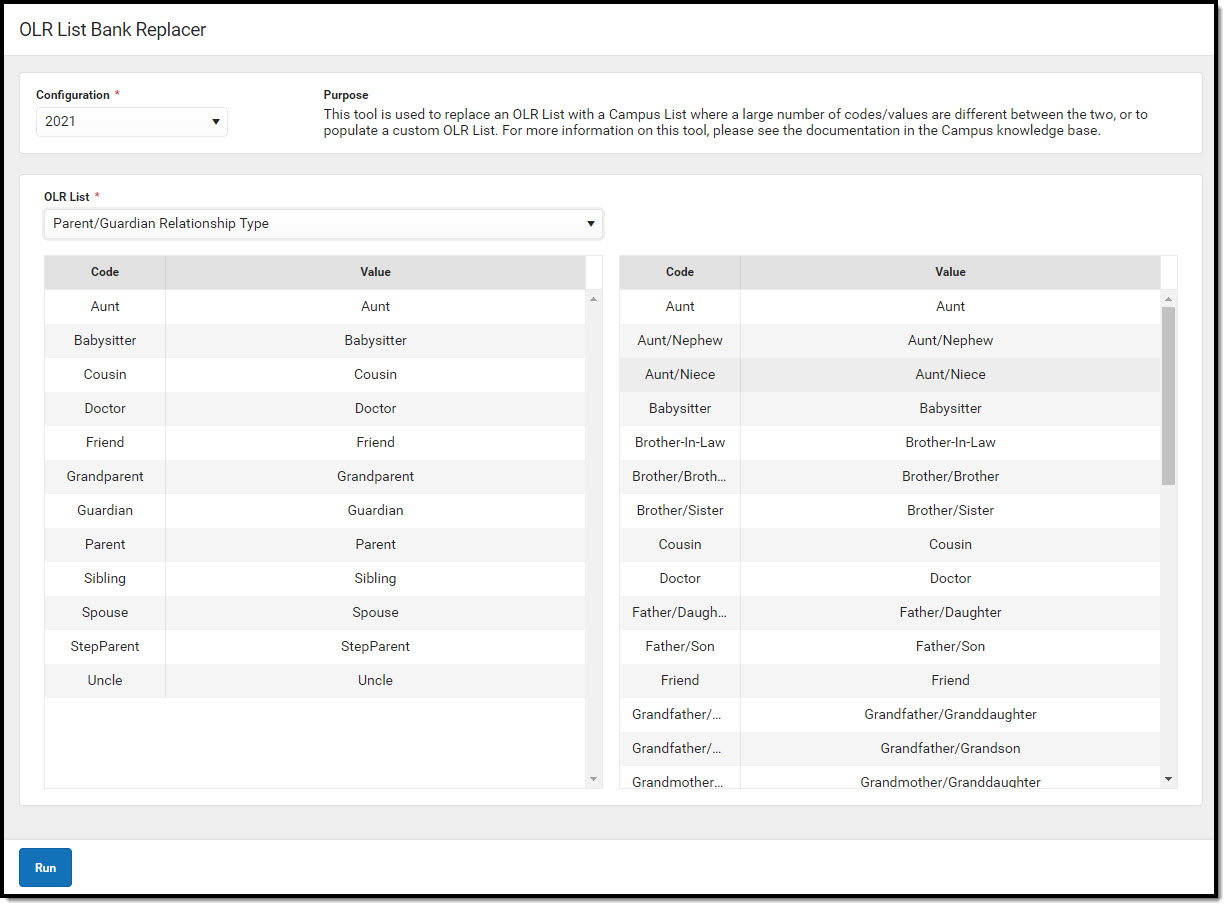 OLR List Bank Replacer removes and deletes existing list bank values.
 Available Tool Rights
| R | W | A | D |
|---|---|---|---|
|
|
|
|
OLR List Value Updater
The OLR List Value Updater updates data entered for OLR dropdown fields when the original value is no longer an item in the list for that category.
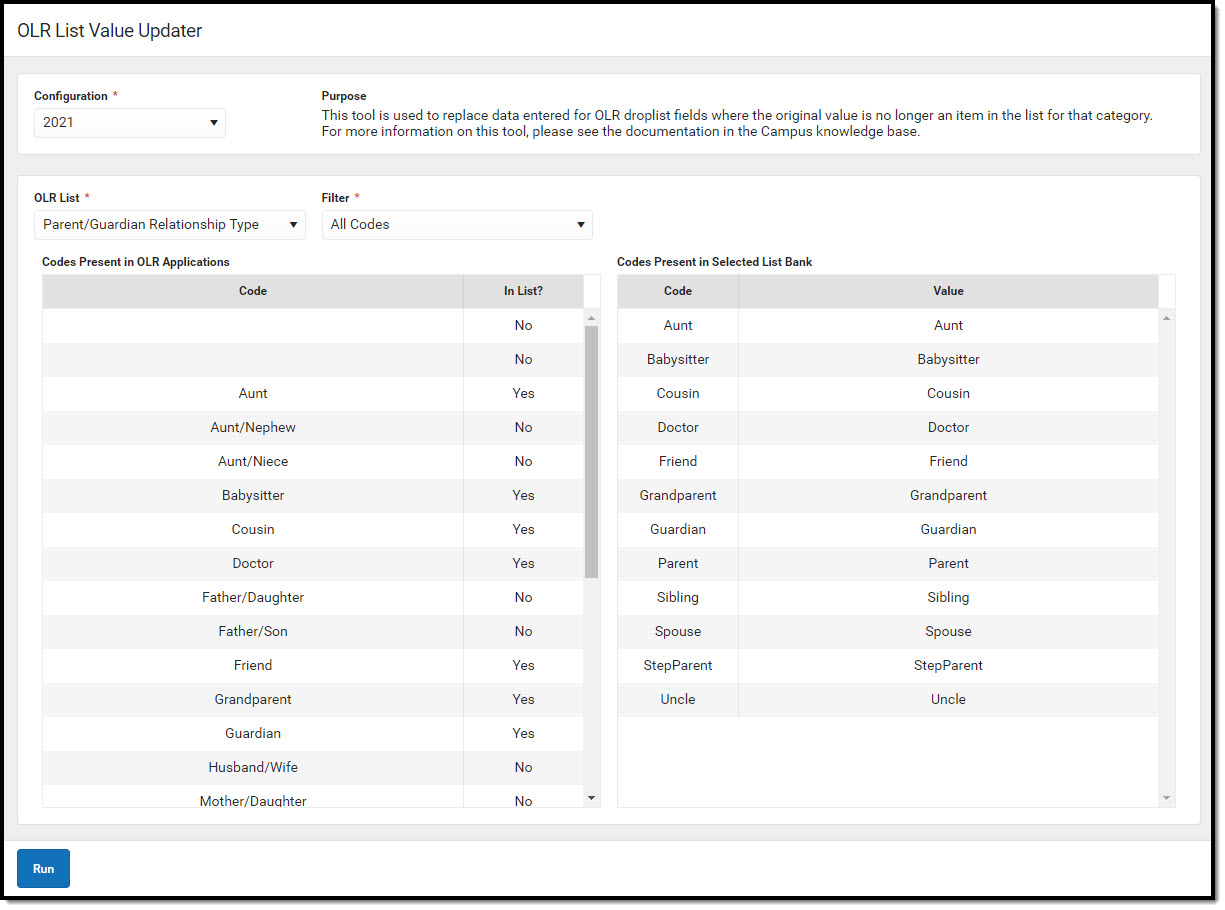 OLR List Value Replacer updates dropdown values for the category.
Available Tool Rights
| R | W | A | D |
|---|---|---|---|
|
|
|
|
Suggested User Groups
See User Groups and Suggested Roles for more information.
