Since generating a report doesn't add or change existing data, only Read rights are required for all OLR Reports. Write/Add/Delete rights, if granted, have no impact. This article includes screenshots of the OLR Reports and summaries of what each report is used for.
See the individual articles in Online Registration Reports to learn more about these reports and how to run them.
 Online Registration Report
OLR Summary
The OLR Summary report provides an overview of the submitted application. Select which indexes/pleats are included in the report.
 OLR Summary
OLR Email Log
The OLR Email Log report shows emails sent by Online Registration.
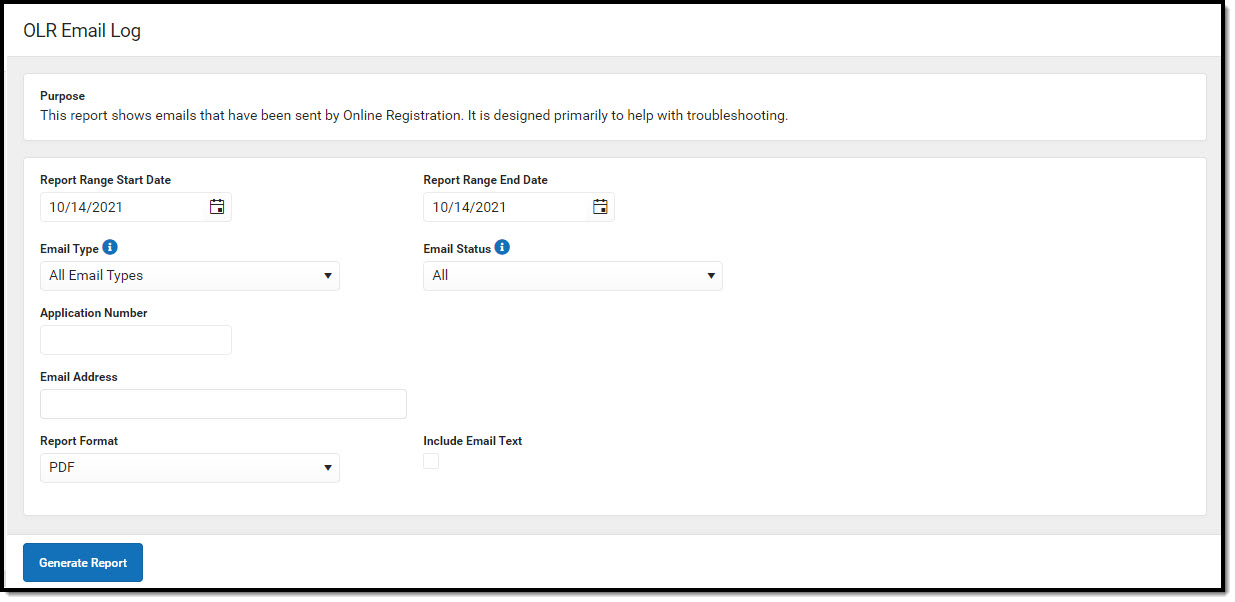 OLR Email Log
OLR Application Statistics
The OLR Application Statistics report provides an overview of Online Registration applications, including application totals for submitted, not submitted, approved, and not approved applications, relative to the number of students in a school.
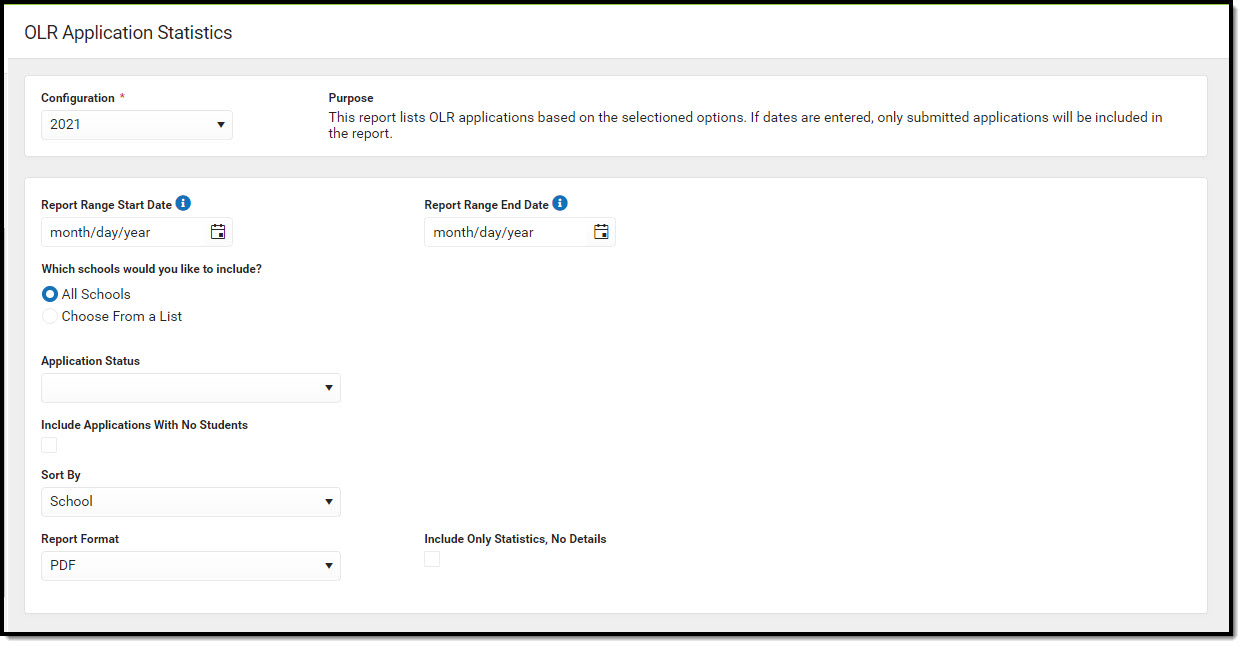 OLR Application Statistics
Students without OLR Applications
The Students without OLR Applications report lists students from the selected year who have enrollment in the selected year but do not have an application in that year. Applications that have a status of Denied are not included in this report.
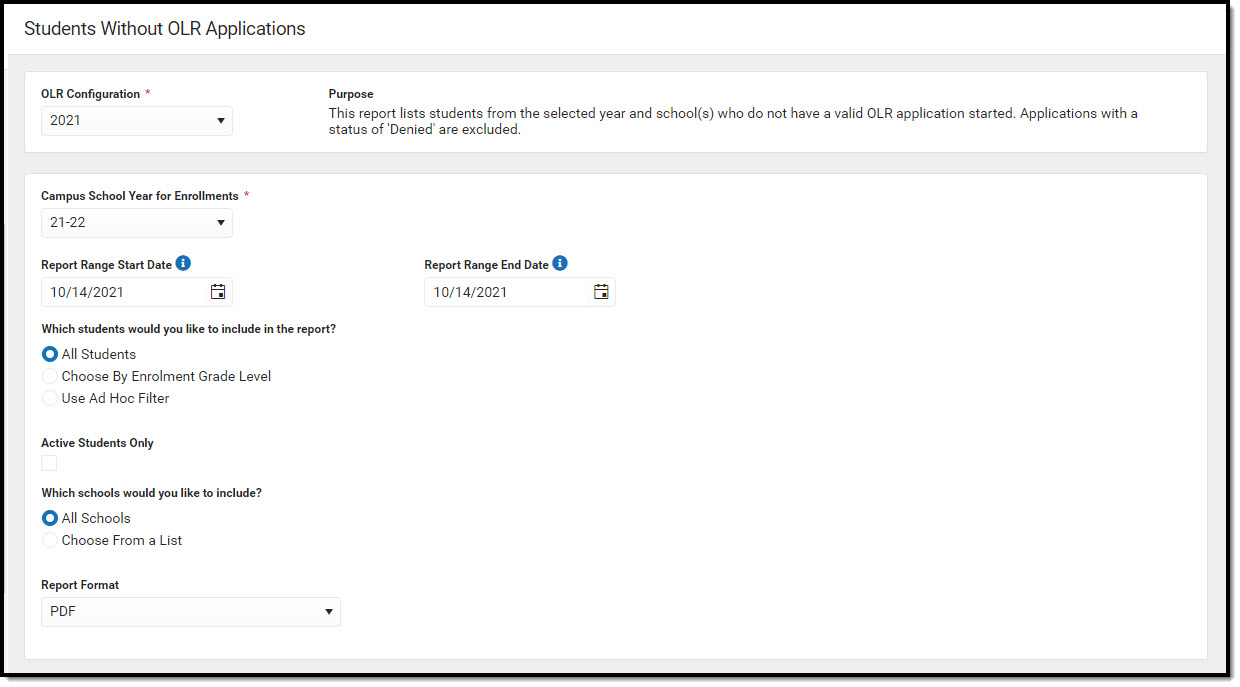 Students without OLR Applications Report
Applications without Enrollments
The Applications without Enrollments report lists new persons added to an application matching the selected status, but the person record does not have an enrollment record created.
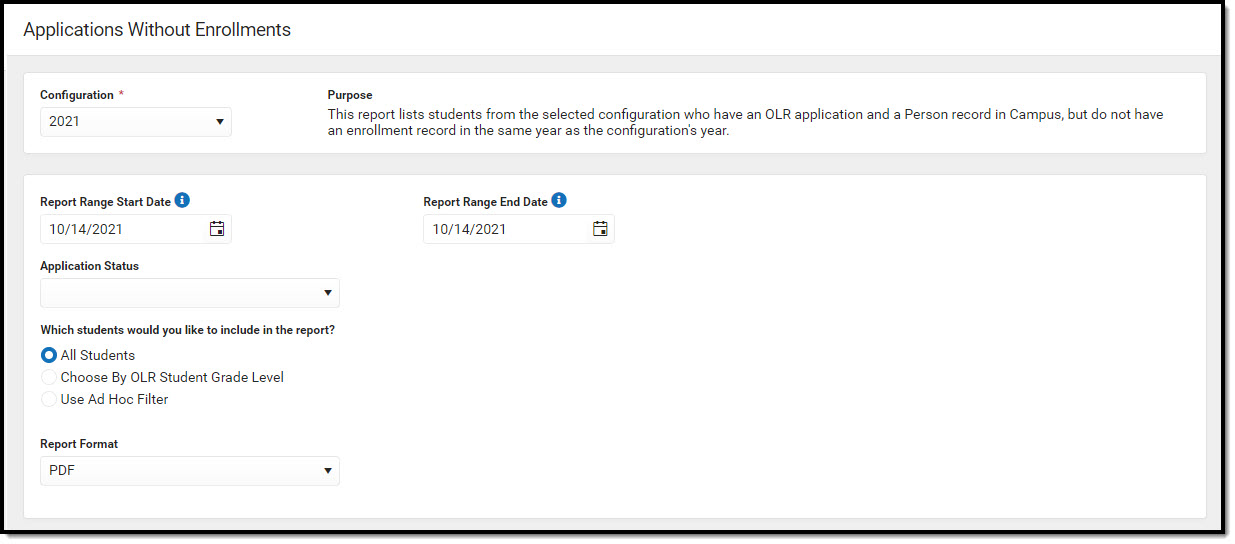 Applications without Enrollments Report
Unsubmitted Applications
The Unsubmitted Applications report lists individuals who created online applications but have not submitted them.
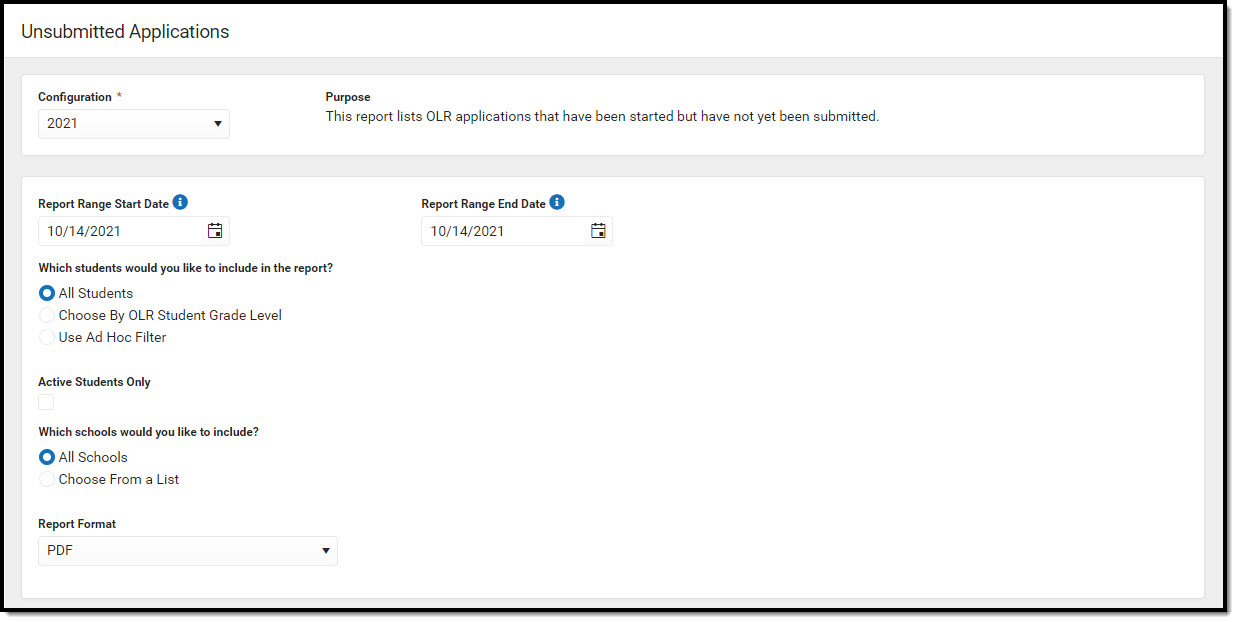 Unsubmitted Applications Report
Students with submitted applications
The Students with Submitted Applications report lists existing students who have completed their online registration applications and have an enrollment record in the selected school year.
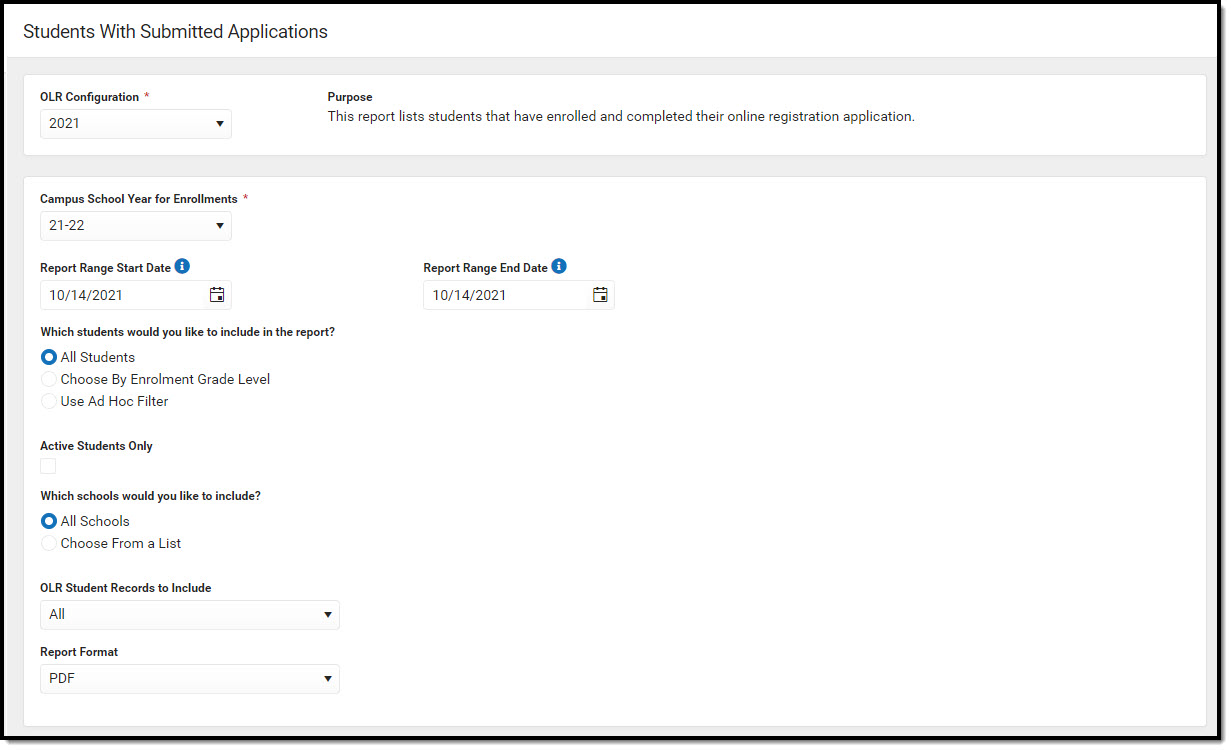 Students with Submitted Applications
Suggested User Groups
See User Groups and Suggested Roles for more information.
