Dependent Care Student Records Tool Rights
Last Modified on 08/05/2026 9:45 am CDT
Student Records allow users to view and edit student records for students enrolled in Dependent Care, both past and present. Users can view/edit/adjust a student's schedule; emergency contacts/persons authorized for pickup; charges, discounts, and credits; and any forms and their completion status.
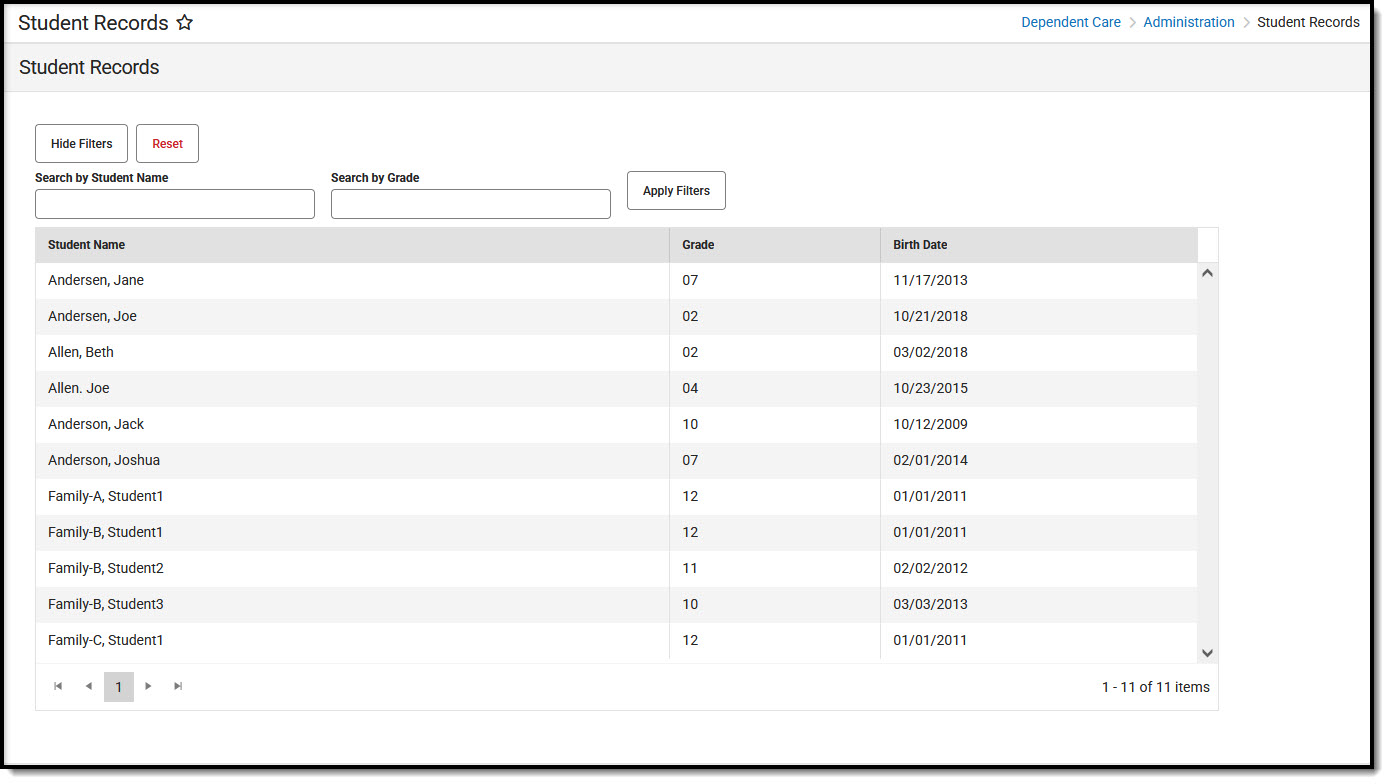 Student Records lists students enrolled in Dependent Care sessions.
Student Records includes several subrights. The image below shows the recommended tool right assignment.
 The Student Records tool includes several subrights that determine what the user sees for Dependent Care student records.
Available Tool Rights
Subrights are in italics.
| R |
W |
A |
D |
|---|
- Access and view the Student Records tool.
- Search (filter) the list of students by their name or their grade level.
- View the list of student names, grade levels, and dates of birth.
- Select a student to view their name, student number, grade level, and date of birth.
|
|
|
|
| Sessions |
- Control the display of Sessions within Student Records.
- Set the Display Previous Sessions toggle to On or Off.
|
|
|
|
Schedule |
- View the student's schedule.
| - Edit the student's schedule.
| - Add a session to the student's schedule.
| |
Emergency Contacts |
- View the authorized pick-ups for the student.
| - Add and save authorized pick-ups for the student record.
| | |
Credits |
- View any credits assigned to the student record.
| - Modify existing credits assigned to the student record.
| - Add new credits to the student records.
| |
Discounts |
- View discounts assigned to the student record.
| - Modify existing discounts assigned to the student record.
| - Add new discounts assigned to the student records.
| |
Charges |
| - Modify charge adjustments for the student record.
| - Add new charges and charge adjustments for the student record.
| |
Forms |
- View any student forms and their completion status.
Forms cannot be added or modified from Student Records. | | | |
| Accounts |
- View the student's account balance details.
| | | |
| Invoices |
- Print an invoice for the student
| | | |
| Manual Payments |
- View details on payments made for the student.
At least one of the Payment Options below needs to be selected. | | | |
Payment Options |
| On or Off access to record payments using one of the following: |
|
|
|
Suggested User Groups
See User Groups and Suggested Roles for more information.
 Student Records lists students enrolled in Dependent Care sessions.
  The Student Records tool includes several subrights that determine what the user sees for Dependent Care student records.