Tool Search: Student Section Detail
The Section Student Detail tool allows districts to collect section data on a student-by-student basis that is unrelated to scheduling. This information reports in the Work- Based Learning (Rhode Island).
See the core Section Student Detail article for information on necessary tool rights, available Ad hoc fields, and guidance on adding and extracting Section Student Detail records.
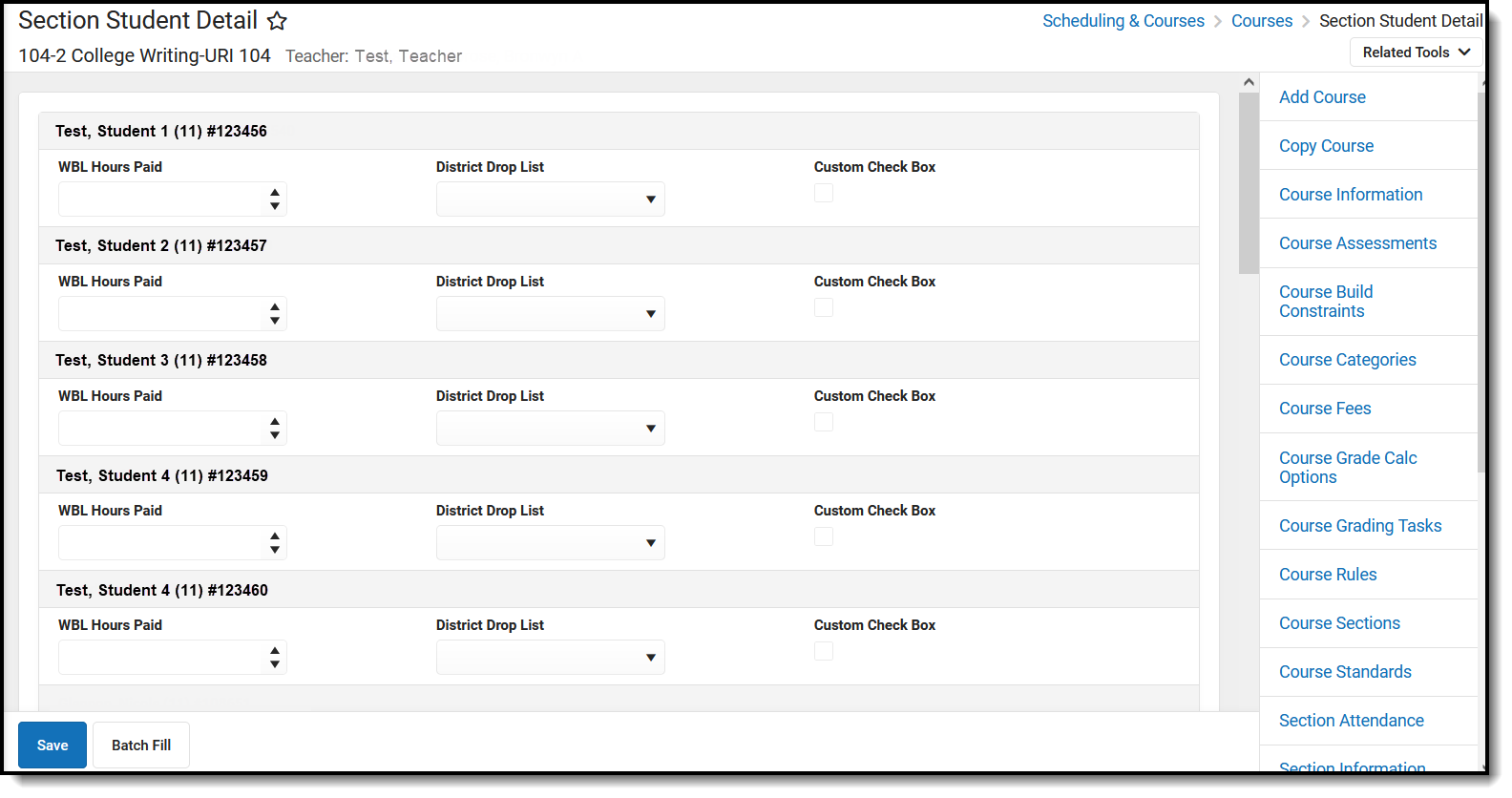 Section Student Detail
Add data to the Section Student Detail
To add a new Section Student Detail record for students, click New. The Section Student Detail side panel opens. Select the appropriate students, add the Start and End Dates, then select the Career Readiness option for the selected students.
Add a record for ALL students in the section who do not already have a record by using the Batch Fill option.
Overlapping records are not allowed.
Section Student Detail
Section Student Detail State Reporting Fields
| Field | Description | Location |
|---|---|---|
| WBL Hours | Indicates the number of hours included in course for Work Base Learning (WBL). | Database Location: SectionStudentDetailValue.valueID (wblHours) Ad hoc Inquiries: Course > Section Information > Section Student Detail > sectionStudentDetail.wblHours |
| WBL Hours Paid | Indicates the number of WBL Hours for which the student is paid. | Database Location: SectionStudentDetailValue.valueID (wblHoursPaid) Ad hoc Inquiries: Course > Section Information > Section Student Detail > sectionStudentDetail.wblHoursPaid |
| WBLPartner | Indicates the industry partner where the Work Base Learning (WBL) takes place. | Database Location: SectionStudentDetailValue.valueID (wblPartner) Ad hoc Inquiries: Course > Section Information > Section Student Detail > sectionStudentDetail.wblPartner |
| WBL Sector | Indicates the industry sector for the Work-Based Learning (WBL). | Database Location: SectionStudentDetailValue.valueID (wblSector) Ad hoc Inquiries: Course > Section Information > Section Student Detail > sectionStudentDetail.wblSector |
| WBL Setting | Indicates the setting of the Work Based Learning.
| Database Location: SectionStudentDetailValue.valueID (wblSetting) Ad hoc Inquiries: Course > Section Information > Section Student Detail > sectionStudentDetail.wblSetting |
| WBL Type | Indicates the type of Work Based Learning that is done.
| Database Location: SectionStudentDetailValue.valueID (wblCourseType) Ad hoc Inquiries: Course > Section Information > Section Student Detail > sectionStudentDetail.wblCourseType |
