In the Account Balance section of the Student Records screen, users can view the student's account balance, which details the current invoice balance and provides itemized invoice details. This is a read-only screen; no changes can be made to the account.
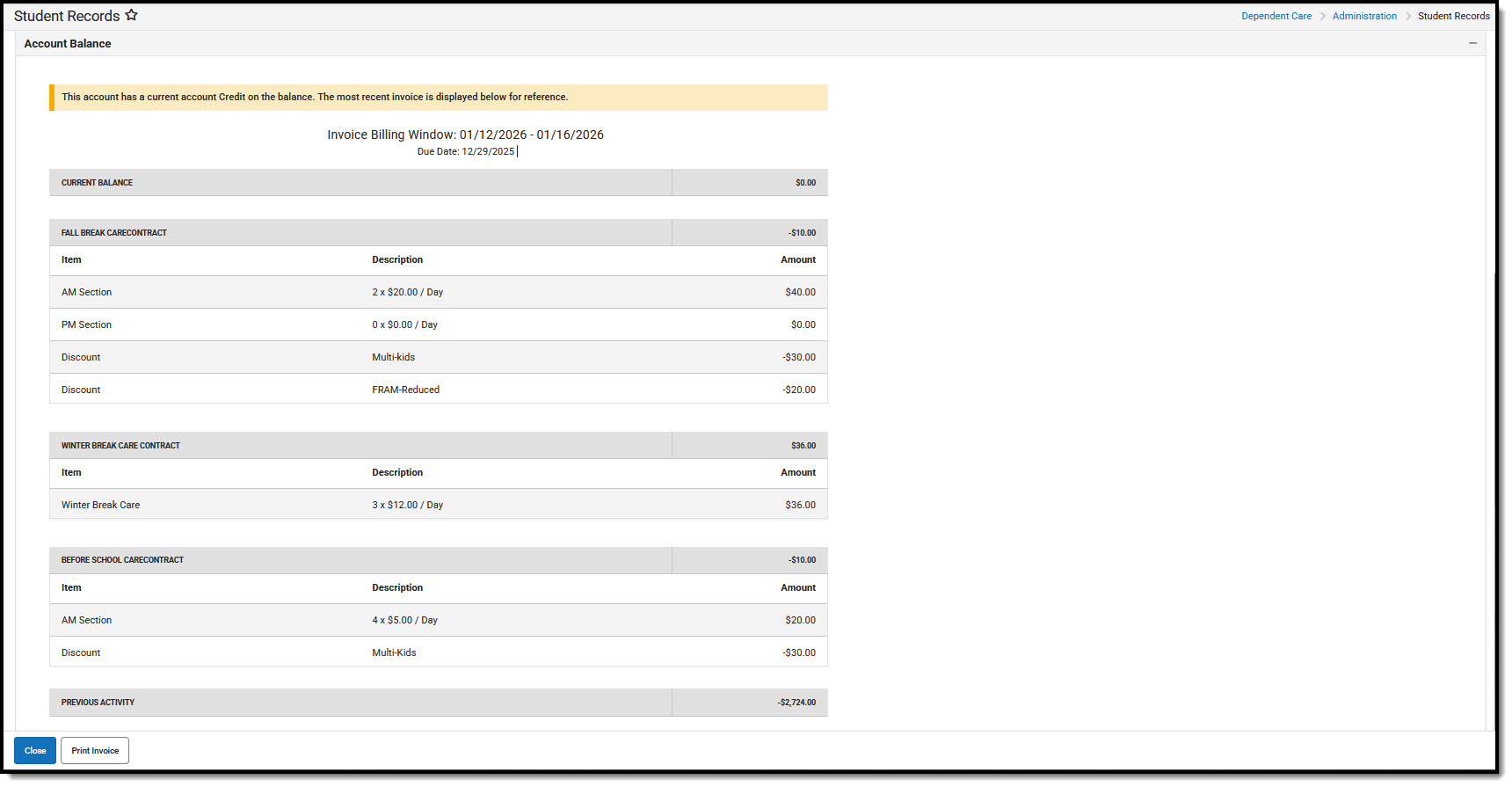
Understanding the Account Balance Screen
| Field | Description |
|---|---|
| Account Balance Banner | A banner displays a quick view at the top of the student's account balance section giving the current status of the account: Paid in Full, Account Credit, or Outstanding Balance. |
| Invoice Billing Window | Indicates the date range to which the invoice applies and lists the date on which payment is due. |
| Current Balance | A breakdown of charges, credits, and discounts applied to the student's account for each session in which they are enrolled. |
| Print Invoice | Allows users to print a specific invoice for the student. See Print Invoice for more information. |
