Scanning tools are available with Campus Workflow Suite.
Tool Search: Barcode Labels
The Barcode Labels report generates a printable list of student barcodes.
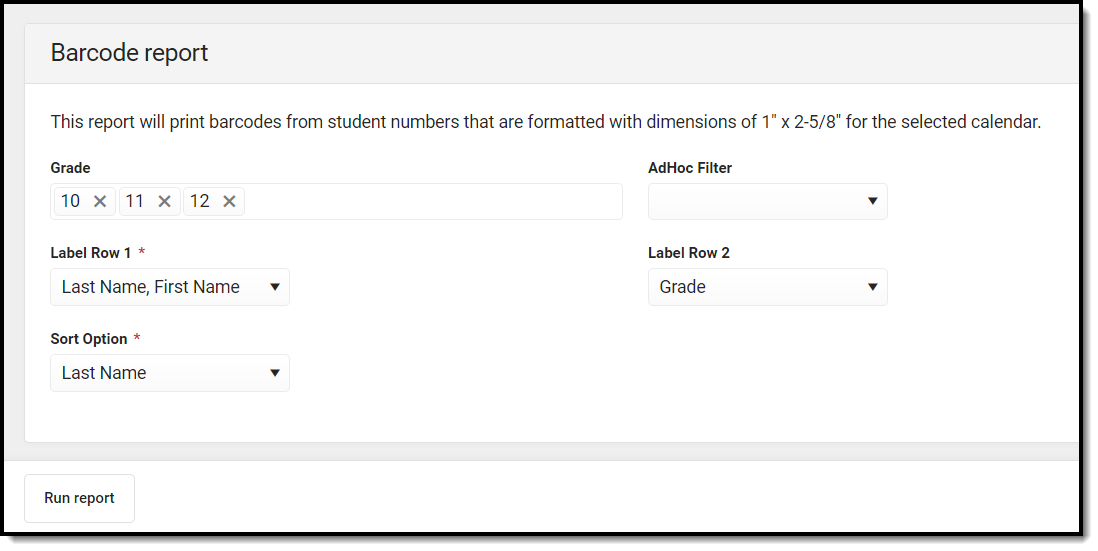 Barcode Labels Report
Report Editor
| Field | Description |
|---|---|
| Grade | The grade(s) of the students to include on the report. |
| AdHoc Filter | An Ad hoc filter to further narrow the students on the report. |
|
Label Row 1 Required |
The first row of the label. Options include:
|
| Label Row 2 |
The second row of the label. Options include:
|
| Sort Option
Required |
Determines how the report will be sorted. Options include:
|
Report Example
The report generates in a separate window as a PDF.
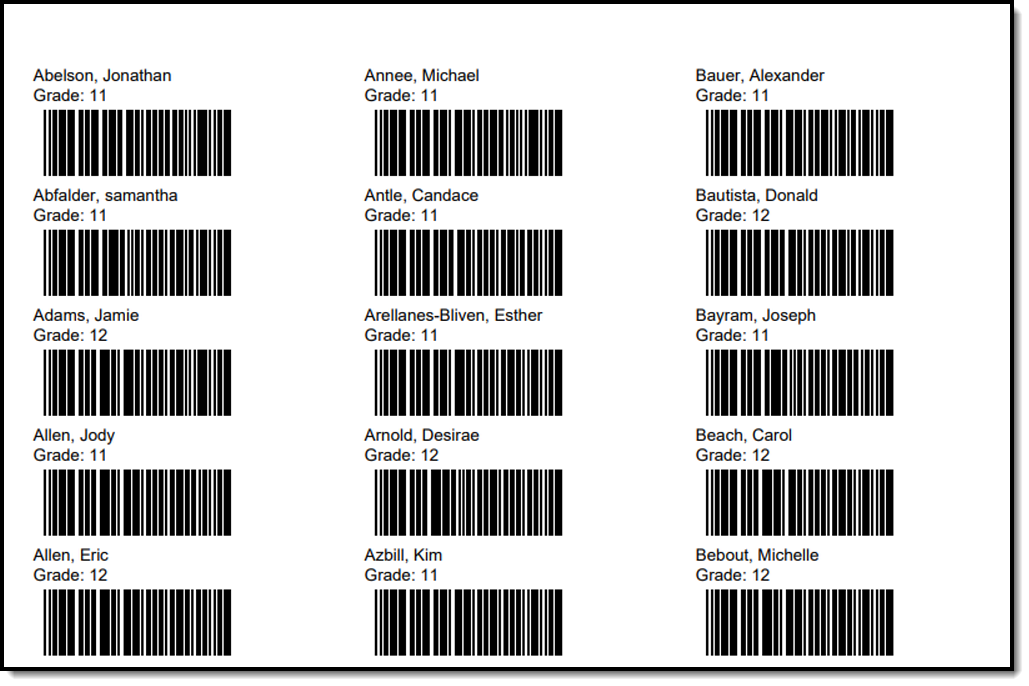 Barcode Labels Report PDF
