The Snapshot Deletion Tool allows District Edition sites aligned with State Edition to request data submitted for state reports to be deleted and removed, without having to contact Campus Support.
See the following Snapshot Deletion Tool article for more information.
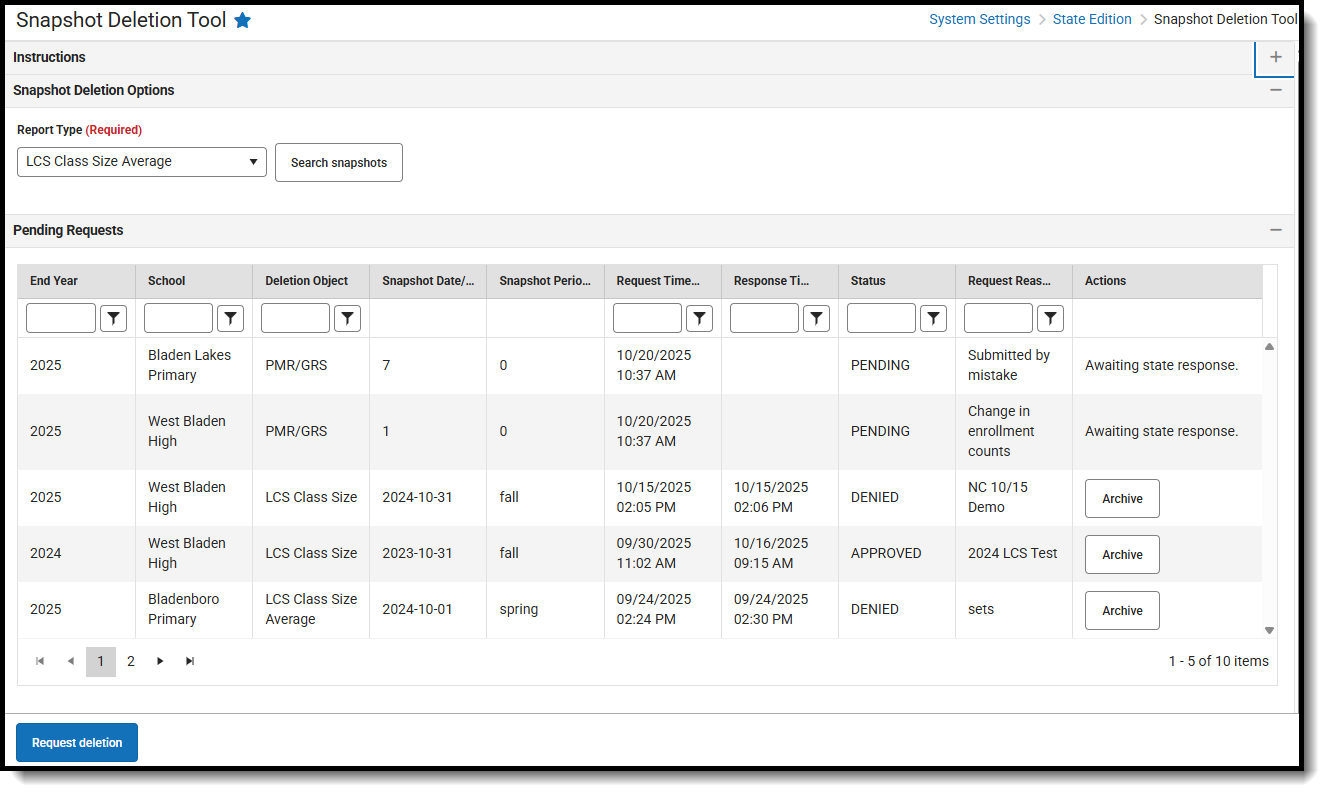 Snapshot Deletion Tool - District Edition Snapshot Deletion Tool - District Edition |
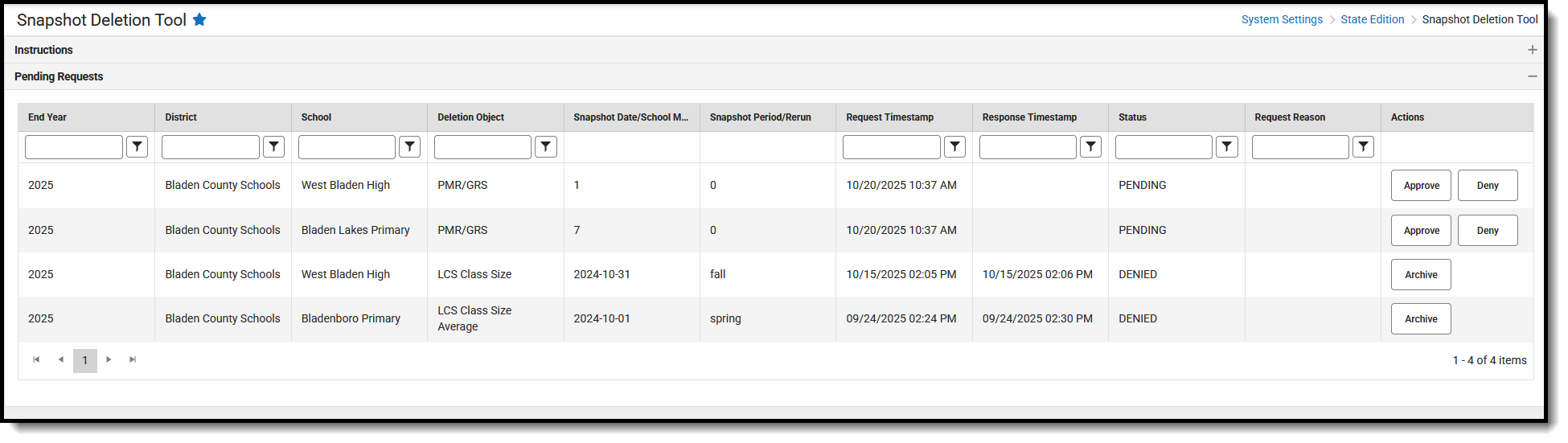 Snapshot Deletion Tool - State Edition Snapshot Deletion Tool - State Edition |
Limit the number of users in both District Edition and State Edition who have access to this tool.
District Edition Available Tool Rights
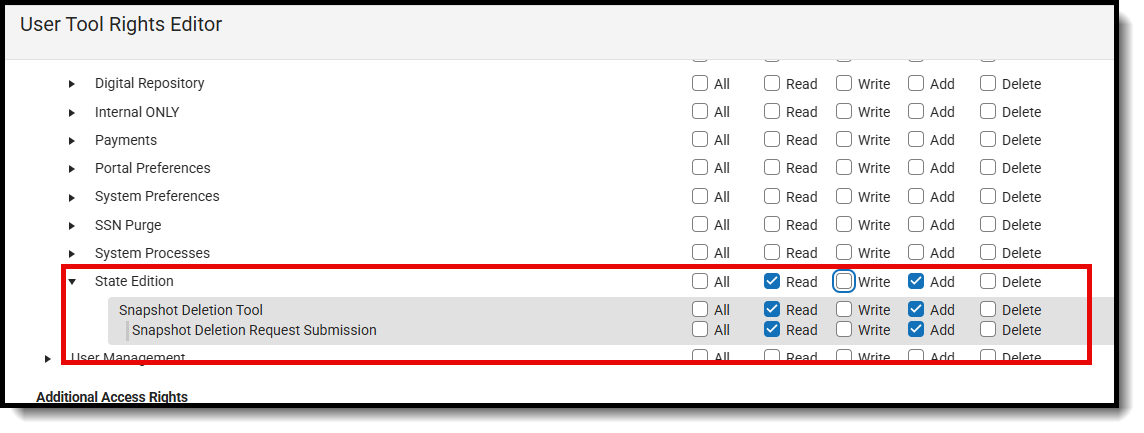 District Edition Tool Rights for Snapshot Deletion Tool
| R | W | A | D |
|---|---|---|---|
|
N/A | N/A | N/A |
| Snapshot Deletion Request Submission | |||
|
|
N/A | N/A |
State Edition Available Tool Rights
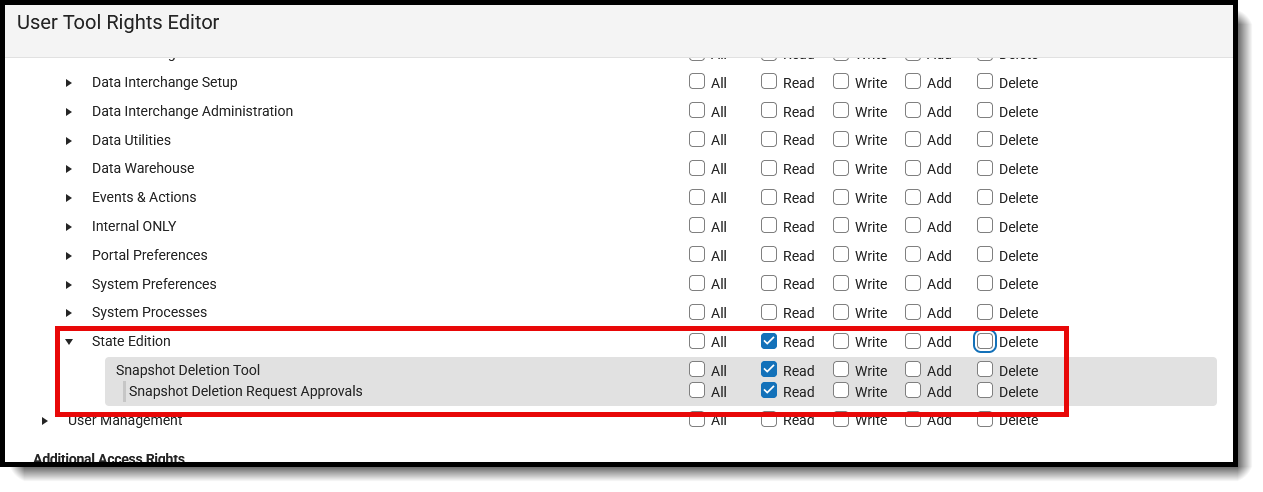 State Edition Tool Rights for Snapshot Deletion Tool
| R | W | A | D |
|---|---|---|---|
|
N/A |
N/A | N/A |
| Snapshot Deletion Request Approvals | |||
| N/A |
|
N/A | N/A |
Suggested User Groups
Typically, users of these tools have already been assigned one or more Product Security Roles that grant administrative-level access; therefore, a user group assignment is not necessary.
If your district's needs are different, you may choose to create a group that meets those needs.
See User Groups and Suggested Roles for more information.
