 WARNING: DATA DELETION IS PERMANENT
Please be sure all your setup settings are correct before running Data Deletion. Once a run is started, even if forced to stop, some data may be lost if not done immediately or correctly.
Tool Search: Student Data Deletion
The Setup feature in Student Data Deletion consists of two fields: one for entering the minimum age for deletion and another for setting the minimum number of years since the student’s last enrollment.
In the Minimum Student Age for Deletion field, the lowest selectable age is 25, while it defaults to 35 when first installed. For some larger districts, starting the deletion process at age 35 is recommended. Once older students are removed, you can reduce the age by one year for each deletion until you reach the desired age for future deletions, which can be run annually or biannually.
For the Years Since Last Enrollment field, if a student's enrollment falls within the specified range, that student will not be eligible for deletion. The tool compares the current active year with the year when the enrollment ended.
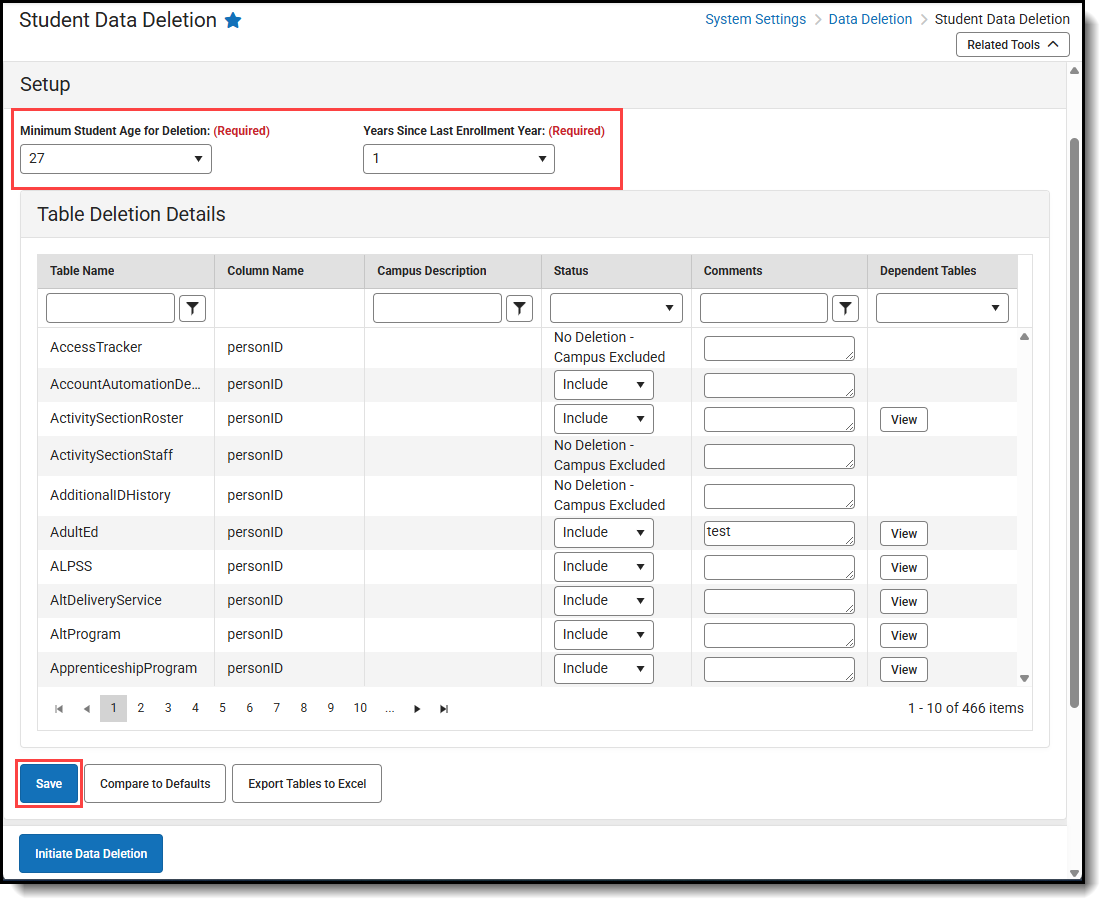
Configure Data Deletion Setup
- Enter the Minimum Student Age for Deletion.
- Enter the Years Since Last Enrollment Year.
- Click Save.
