 WARNING: DATA DELETION IS PERMANENT
Please be sure all your setup settings are correct before running Data Deletion. Once a run is started, even if forced to stop, some data may be lost if not done immediately or correctly.
Tool Search: Student Exclude
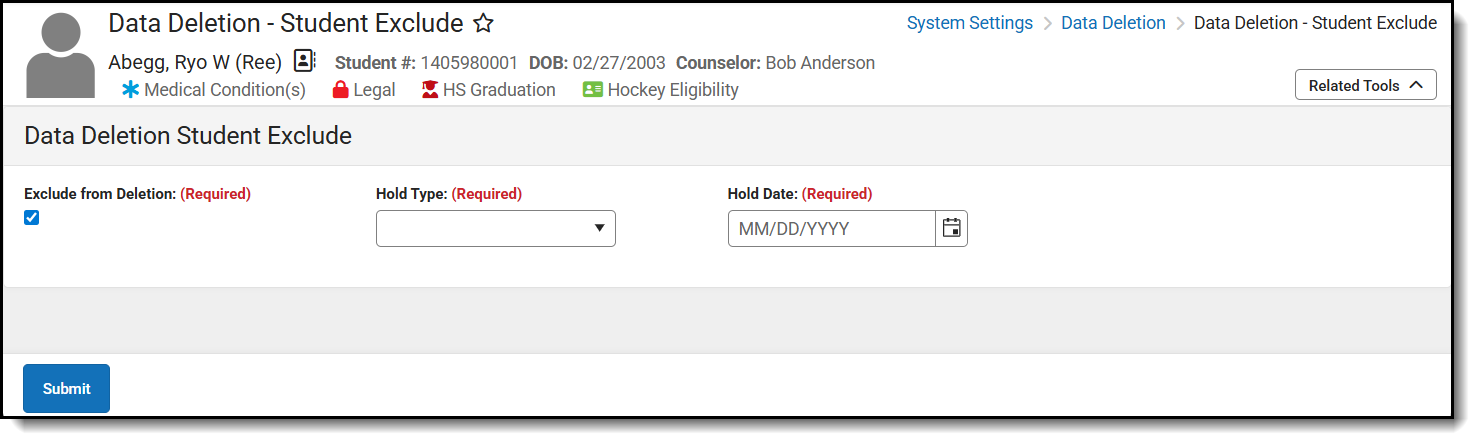
The Data Deletion - Student Exclude tool is used to exclude individual students even if they meet the Setup criteria. If exclude is selected, Hold Type and Hold Date fields appear. Hold Type and Date are informational only and do not affect the process.
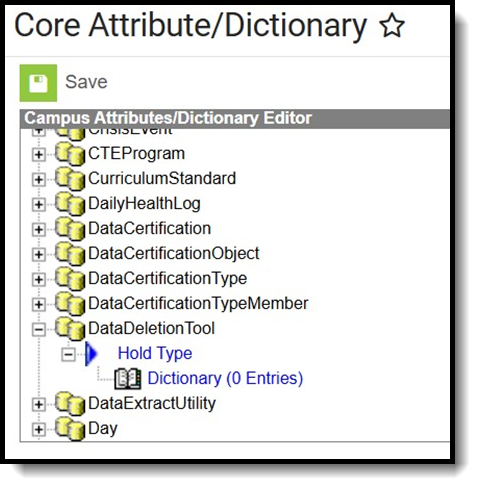
The Hold Type list is controlled by the Districts and can be set up in the System Settings > Custom Data and Links > Core Attribute/Dictionary tool in the DataDeletionTool > holdType node. Possible Hold Types that could be added include "Court Order" and "Student Requested."
Exclude a Student
- Select a student from the Person Search.
- Click the Exclude from Deletion checkbox.
- Select a Hold Type.
- Select a Hold Date.
- Click Submit.
